
Half Punch Mobile Controls
Touch layout, thumb discipline, and stamina rules so phone lobbies stop eating your inputs.
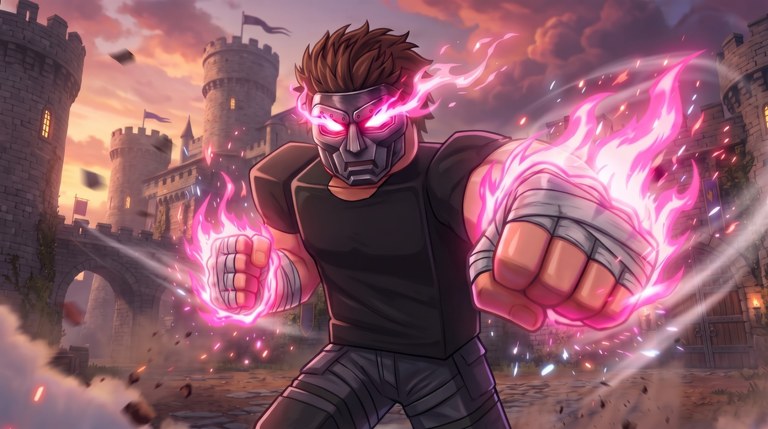
Playing Half Punch on mobile means fighting The Big G Studio’s physics arenas through virtual joysticks and on-screen attack buttons instead of a mouse. The moves are the same—punches, grabs, dropkicks, ragdoll recovery—but mistaps and sweat-slip thumbs create extra stamina bankruptcies. This guide covers touch layout tips, stamina discipline on phones/tablets, private-server practice habits, and how to connect mobile play to the rest of the wiki.
Start with the general bind map in Controls, then return here for device-specific habits. Brand-new players should still skim Getting Started before specializing. Deep combat rules live in Combat Basics; kick and clinch specialization sit in How to Dropkick and How to Grab.
Typical mobile layout
Most mobile sessions show something like:
- Left side: virtual joystick for movement
- Right side: camera drag plus attack buttons
- Punch: primary on-screen attack
- Grab / kick: separate buttons when the UI exposes them
- Jump / extra actions: if the current build enables them
Exact labels can shift after patches or availability returns—re-check prompts and compare with November 2026 notes if something feels wrong overnight.
Layout hygiene
- Increase UI scale if grab and kick sit too close; mis-tapping grab mid-punch string is a classic mobile death.
- Keep thumbs anchored: left moves, right cameras/attacks. Avoid both thumbs mashing the attack cluster.
- Play in landscape with a stable grip; portrait plus ragdoll camera shake invites fat-finger inputs.
- Clean the screen before ranked-feeling lobbies—sweat slip during a dropkick commit is real.
- If Roblox or the experience offers remapping, put high-risk actions (kick, grab) where your thumb does not rest by accident.
Stamina discipline on touch
Mobile players often empty stamina faster because button spam is easier than precise mouse clicks. Adopt stricter rules than PC friends:
- One intentional punch at a time until you can stop on command.
- No dropkick on fumes—the fumes rule from the dropkick guide is harsher on touch because recovery inputs are clumsier.
- Grab only on named whiffs—if you cannot say why you grabbed, it was a mis-tap.
- Stop inputs while ragdolled so you do not waste the bar the instant you stand.
- Forced reset = win when the UI feels slippery; backing off beats another accidental flurry.
These rules feed the same S-tier habits on the moves tier list: disciplined punches, spacing, whiff-punish grabs.
Movement and camera on a phone
Physics combat rewards camera discipline. On mobile:
- Practice a full minute of move without attacking in a private server with bots.
- Keep the fight near pile edges so your right thumb can adjust camera without covering the attack buttons constantly.
- After each knockdown, recenter camera before remashing—third parties arrive fast in max-seven lobbies.
- Lower camera sensitivity if punches track scenery more than heads.
Counter-punchers on fighting styles scale well on mobile because they throw less and read more; pure flail maniacs suffer when mis-taps empty the bar.
Touch-specific tips for each major tool
Punches
Short strings only. Lift the thumb between punches until stamina sense exists. Face/limb feedback still confirms connects—watch for it instead of assuming every tap landed.
Grabs
Separate grab from punch visually. Lab the “create miss → grab” drill from How to Grab at half speed on bots. Panic grab spam is even worse on mobile because the button is always one slip away.
Dropkicks
Entry-step before kick. Count ten intentional attempts per bot session and write land/whiff numbers. Blind kick spam plus touch lag is a self-ragdoll simulator—details in How to Dropkick.
Ragdoll recovery
Hands off the attack cluster while floored. Track threats, stand, then choose punch or leave. Mobile players who mash through ragdoll donate free turns constantly.
Private-server mobile lab
Official text nudges players toward private servers for bots—use that on phone too:
- Join or create a private server (bots guide).
- Movement-only warm-up (2 minutes).
- Single-punch ladder (5 minutes)—stop each string early on purpose.
- Ten grab attempts only after visible whiffs.
- Ten entry-step dropkicks with notes.
- Run the shortened practice checklist before any public lobby.
If bots feel awkward on a small screen, slow the session—do not “fix” feel with executors. Scripts that promise punch aura, speed, infinite stamina, or anti-ragdoll carry malware and ban risk; mobile downloads of shady tools are especially dangerous.
Public lobby habits for phone fighters
- Shorter sessions reduce sweat and tilt-induced mashing
- One habit per lobby (example: “no kick unless I stepped in”)
- Leave piles early; touch players lose camera in meatgrinders faster
- Ignore unverified codes lists; redeem only real gifts when documented
- After downtime, re-check button positions before trusting muscle memory—Updates Hub
Cross-device players
Many fighters hop between PC and mobile. Keep a tiny note:
- Which device you labbed last
- Whether grab/kick positions differ
- One habit to re-verify after switching
Do not assume PC dropkick timing ports perfectly to touch. Re-lab the first ten kicks every time you switch.
Accessibility and comfort
- Take breaks; ragdoll shake plus small UI fatigues eyes and thumbs
- Headphones help you hear impact cues that reinforce timing when visuals are busy
- Remap where Roblox and the experience allow
- If a tablet is available, larger UI often beats phone-only for grab/kick separation
Related pages
- Controls — full device overview
- Getting Started — first-session goals
- Combat Basics — exchange model
- How to Dropkick / How to Grab — specialty timing
- Guides Hub — learning map
- Links Hub — official place URL
Mobile Half Punch is absolutely viable. Win with cleaner thumbs and stricter stamina rules—not by installing a shortcut that risks the account you play on.
Frequently Asked Questions
Quick answers for Half Punch fighters.
How do Half Punch mobile controls work?
Expect a left virtual joystick, right-side camera drag, and on-screen punch plus grab/kick buttons when the UI exposes them. Confirm labels in your build after patches.
Why do I drain stamina so fast on mobile?
Touch spam is easy. Force single punches, ban fumes dropkicks, and stop inputs while ragdolled until you can end strings on command.
Can I dropkick and grab on a phone?
Yes when the UI shows those buttons. Increase UI scale to avoid mis-taps, and lab both tools in a private bot server before public play.
Should mobile players use private servers?
Strongly yes. Bots and low pressure let you isolate movement, punches, grabs, and kicks without seven-player chaos. The experience itself points players to private servers for bots.
Do scripts help with mobile combat?
We advise against executors. Punch aura, infinite stamina, and anti-ragdoll claims risk malware and bans—train with the Practice Checklist instead.
Where should I go after this page?
Re-read Controls for the full bind map, then Combat Basics. Add How to Grab and How to Dropkick once thumb discipline is stable.